TypeScript
TypeScript Project References and PNPM Workspaces in Nx Monorepos
Explore how TypeScript project references, PNPM workspaces, and Nx improve monorepo build speed, type safety, and dependency control.
March 29, 2025
TypeScript
Explore how TypeScript project references, PNPM workspaces, and Nx improve monorepo build speed, type safety, and dependency control.
March 29, 2025
This article is a response to an invitation to share my experience using Nx with TypeScript Project References, as well as a testament to the kindness and support within the developer community.
This is not an introduction to TypeScript Project References, nor does it aim to explain everything you need to know about them. For more information, the Nx Blog and the official TypeScript documentation are great resources.
If you'd like to explore other in-depth guides or share your thoughts, feel free to reach out at hello@moatorres.com—I’d love to hear what topics interest you.
I've been using Nx for a long time, and have witnessed many changes—from incremental compilation and migrating from Lerna to Nx, to the rescope from @nrwl/* to @nx/*, the announcement of Project Crystal, the introduction SQLite, and breaking updates to the Task Runner API.
There are long-standing issues in TypeScript codebases that make heavy use of Nx, and adopting this approach meant dealing with change to stay up to date.
TypeScript project references are a powerful feature that enables incremental builds and better type-checking across multiple projects in a monorepo. When combined with Nx they can significantly improve developer productivity and build performance.
According to the official TypeScript documentation, project references have been available since TypeScript 3.0:
Project references allows you to structure your TypeScript programs into smaller pieces, available in TypeScript 3.0 and newer. By doing this, you can greatly improve build times, enforce logical separation between components, and organize your code in new and better ways.
In short, it lets you break a large codebase into smaller, manageable projects that can reference each other while maintaining strict boundaries.
Nx enhances the use of TypeScript Project References by providing tools for managing dependencies, caching, and build orchestration. Some key benefits include:
Faster Builds & Efficient Recompilation: TypeScript Project References improve build performance by enabling incremental builds and preventing unnecessary recompilation. Nx further enhances this with smart caching and task orchestration.
Improved Type Checking & Editor Performance: Unlike path mappings, Project References allow TypeScript to track dependencies more efficiently, leading to faster type checking and better responsiveness in editors and IDEs through the Language Server Protocol (LSP).
Scalable & Maintainable Dependency Management: By enforcing explicit project boundaries, Project References reduce unintended cross-imports, helping to maintain long-term scalability in Nx monorepos.
Previously, Nx relied heavily TypeScript's path mappings. We defined all projects in a central tsconfig.base.json or tsconfig.json file, which Nx then read—often using functions like readTsConfigPaths.
As Jake Ginnivan says here:
Path mappings is the path of least resistance, it basically means that when you import another library in your project the bundler/tool can follow that reference and import the source as if it was one giant project.
Here's an example:
Path-based{ "compileOnSave": false, "compilerOptions": { "rootDir": ".", "sourceMap": true, "declaration": false, "moduleResolution": "node", "target": "es2015", "module": "esnext", "lib": ["es2017", "dom", "dom.iterable"], "paths": { "@shared/design-system": ["libs/shared/design-system/src/index.ts"], "@shared/react-hooks": ["libs/shared/react-hooks/src/index.ts"], "@shared/data-model": ["libs/shared/data-model/src/index.ts"], "@utils/colors": ["libs/shared/utils/colors/src/index.ts"], "@utils/cx": ["libs/shared/utils/cx/src/index.ts"], "@utils/ddd": ["libs/shared/utils/ddd/src/index.ts"], "@utils/encryption": ["libs/shared/utils/encryption/src/index.ts"], "@utils/express": ["libs/shared/utils/express/src/index.ts"], "@utils/http": ["libs/shared/utils/http/src/index.ts"], "@utils/kubernetes": ["libs/shared/utils/kubernetes/src/index.ts"], "@utils/node": ["libs/shared/utils/node/src/index.ts"], "@utils/stylit": ["libs/shared/utils/stylit/src/index.ts"], "@utils/tss": ["libs/shared/utils/tss/src/index.ts"] } } }
tsconfig.json.
This approach had two main drawbacks:
Scalability – TypeScript’s language server had to load and type-check the entire codebase at once, leading to significant performance slowdowns.
Centralized Configuration – Every project relied on a single, ever-growing tsconfig file.
Thats's where Project References come in handy. Project References solve this by allowing each project to explicitly define its dependencies. Instead of centralizing everything in the root tsconfig.json, each project declares its own references:
Reference-based{ "extends": "../../../tsconfig.base.json", "files": [], "include": [], "references": [ { "path": "../../styles" }, { "path": "../../ui" } ] }
tsconfig.json.
This improves modularity, build performance, and type-checking efficiency, as TypeScript now understands project boundaries and only processes necessary types.
Nx traditionally allowed us to manage dependencies without having to focus much on package.json files. As long as we had our project.json definitions, Nx, in combination with bundlers, would automatically handle the management of dependencies and devDependencies, allowing us to nearly eliminate the need for package.json files altogether.
However, moving away from path-based project definitions introduced the need for a new (or rather, a more traditional) way to manage dependencies between applications and libraries—this is where PNPM workspaces come in.
Along with the adoption of TypeScript Project References, there were also changes to the package.json files themselves.
Reference-based{ "type": "module", "main": "./dist/index.js", "types": "./dist/index.d.ts", "module": "./dist/index.js", "exports": { "./package.json": "./package.json", ".": { "types": "./dist/index.d.ts", "import": "./dist/index.js", "default": "./dist/index.js" } } }
package.json.
Nx now explicitly defines exports and point the main and module properties to the ./dist/index.js output. Inter-dependencies are now declared as "workspace:*":
Reference-based{ "name": "@myorg/accordion", "dependencies": { "@radix-ui/react-accordion": "^1.2.2", "lucide-react": "^0.475.0" }, "devDependencies": { "@myorg/button": "workspace:*", "@myorg/styles": "workspace:*" }, "peerDependencies": { "react": "^19.0.0", "react-dom": "^19.0.0" } }
package.json.
If you used workpaces before, this probably isn't new to you. A typical PNPM workspace configuration looks like this:
packages:
  - 'apps/*'
  - 'libs/*'
pnpm-workspace.yaml.
While all that may sound complicated and challenging to maintain, this is precisely where Nx shines. By offering commands like nx sync and nx watch-deps, Nx helps alleviate the complexity of managing large-scale monorepos.
In this section, we'll explore two workspace presets: apps and ts. The apps preset creates a path-based workspace, but we'll focus on the ts preset for this deep dive. At the time of writing, create-nx-workspace@latest is equivalent to create-nx-workspace@20.7.0.
If you plan to publish your packages, ensure your workspace is assigned a valid NPM organization name. For this exercise, I'll use nx-prefs as our organization scope.
Create your Nx workspace by running:
Creating Nx workspace.npx create-nx-workspace@latest nx-prefs --pm pnpm \ --no-interactive \ --preset ts \ --ci skip
Your command-line output should resemble:
Nx workspace creation output.NX Let's create a new workspace [https://nx.dev/getting-started/intro] NX Creating your v20.7.0 workspace. ✔ Installing dependencies with pnpm ✔ Successfully created the workspace: nx-prefs. NX Welcome to the Nx community! 👋 🌟 Star Nx on GitHub: https://github.com/nrwl/nx 📢 Stay up to date on X: https://x.com/nxdevtools 💬 Discuss Nx on Discord: https://go.nx.dev/community
If you haven't already, launch VSCode from the command line:
Opening workspace directory.code nx-prefs
Your workspace should look like this:
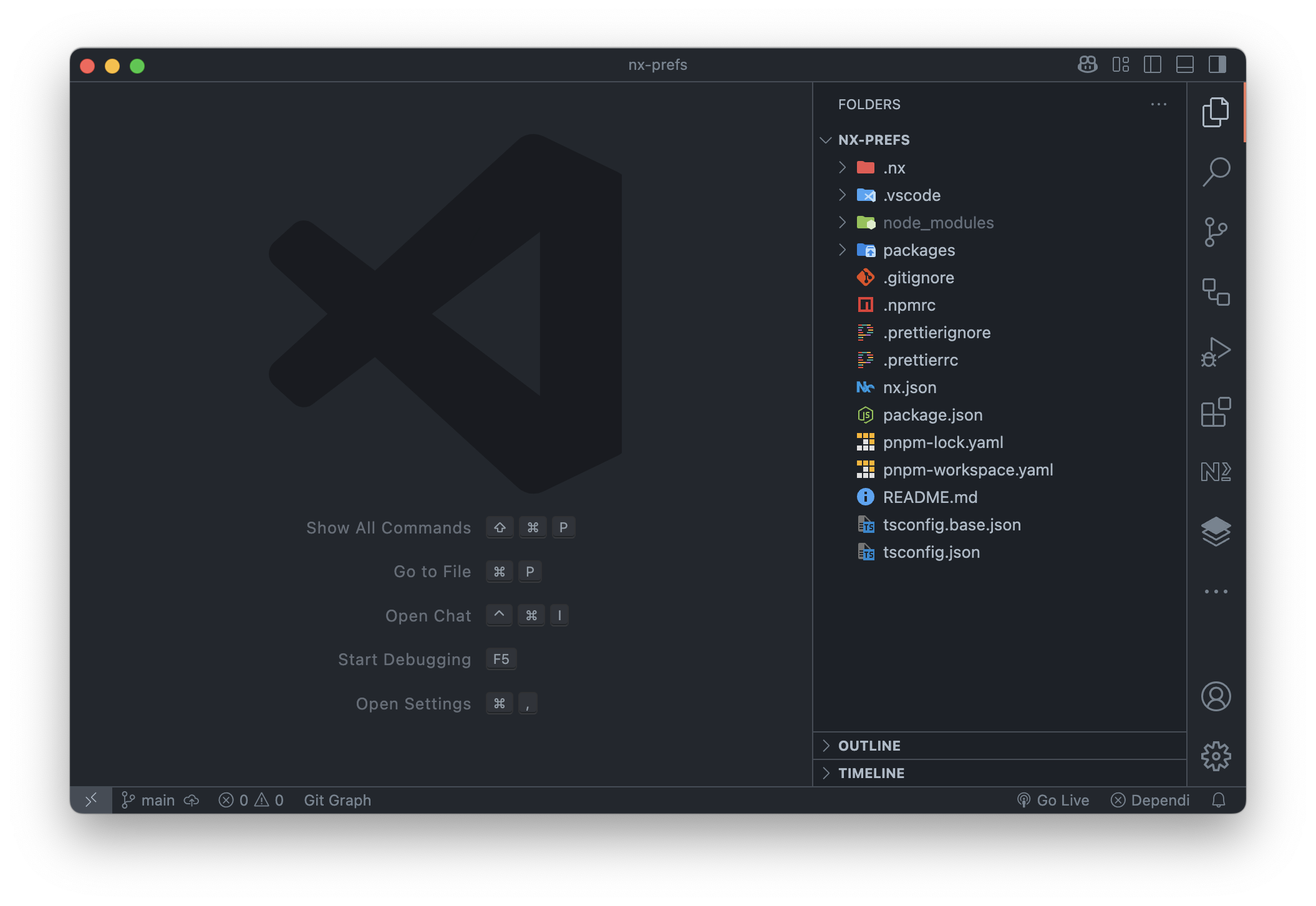
Take a close look at the files Nx generated—especially pnpm-workspace.yaml, tsconfig.base.json, and tsconfig.json. In another article, we'll compare them with the path-based workspace.
We'll use the official @nx/react plugin to create our first package. You can check out Nx's plugin registry for a list of available plugins. Nx also has an official VSCode extension that provides an interactive interface for Nx commands—it's definitely worth checking out.
Install the plugin in the root of our workspace:
Installingpnpm add -D @nx/react -w
@nx/react plugin.
I'll use Vite for bundling and testing, and ESLint for linting. Feel free to use your preferred stack or opt-out of both. I'm also going to use project.json files to fine-tune configurations separately.
Our first package will be a utility library under packages/utils, imported as @nx-prefs/utils.
Creatingnpx nx g @nx/react:library --directory=packages/utils \ --name=utils \ --bundler=vite \ --linter=eslint \ --unitTestRunner=vitest \ --importPath=@nx-prefs/utils \ --useProjectJson=true \ --no-interactive
@nx-prefs/utils package.
Expected output:
Fetching @nx/vite...

UPDATE package.json
UPDATE nx.json
CREATE packages/utils/project.json
CREATE packages/utils/package.json
CREATE packages/utils/README.md
UPDATE tsconfig.json
...
+ typescript-eslint 8.29.0
+ vite 6.2.4
+ vite-plugin-dts 4.5.3
+ vitest 3.1.1

Done in 17.6s
Scope: all 2 workspace projects
@nx-prefs/utils creation output.
Nx automatically installs required dependencies and updates our root tsconfig.json with a reference to our new package:
Updated{ "extends": "./tsconfig.base.json", "compileOnSave": false, "files": [], "references": [ { "path": "./packages/utils" } ] }
tsconfig.json.
Next, we'll add a Next.js application using the @nx/next plugin. Install it with:
Installingpnpm add -D @nx/next -w
@nx/next plugin.
We’ll create our app in apps/sandbox. While you can choose cypress or playwright for end-to-end testing, I’ll skip setting up either for brevity. Start by running the command in dry-run mode:
Creatingnpx nx g @nx/next:application --directory=apps/sandbox \ --linter=eslint \ --name=sandbox \ --e2eTestRunner=none \ --no-interactive \ --dry-run
sandbox application.
The output should look like this:
 NX  Generating @nx/next:application

UPDATE nx.json
UPDATE .gitignore
UPDATE package.json
CREATE apps/sandbox/next.config.js
CREATE apps/sandbox/tsconfig.json
...
UPDATE tsconfig.json

NOTE: The "dryRun" flag means no changes were made.
sandbox creation output.
Remove the --dry-run flag and re-run the command to generate the application. Nx will automatically update pnpm-workspace.yaml to include apps/*:
Updatedpackages: - 'packages/*' - 'apps/*'
pnpm-workspace.yaml.
Run the application and check if it's running on http://localhost:3000:
Runningnpx nx dev sandbox
sandbox application.
You can also use pnpm dlx nx <command> instead of npx nx <command> or pnpm exec -- nx <command>. Alternatively, you can install nx globally to use the shorter nx dev sandbox command:
Installingpnpm install -g nx
nx globally.
Now that everything is running as expected, it’s time to consume our utility package. We'll start by building it:
Buildingnx build utils
@nx-prefs/utils package.
Next, we need to add it as a dependency to the consuming app. We can either manually add the dependency to its package.json or let PNPM handle it:
Adding local dependency.pnpm add @nx-prefs/utils --filter sandbox --workspace
After adding the package, the package.json in apps/sandbox should look like this:
Updated{ "name": "@nx-prefs/sandbox", "version": "0.0.1", "private": true, "nx": { "name": "sandbox" }, "dependencies": { "@nx-prefs/utils": "workspace:*", "next": "~15.1.4", "react": "19.0.0", "react-dom": "19.0.0" } }
apps/sandbox/package.json.
Open the apps/sandbox/src/app/page.tsx file and update its content:
Updatedimport { Utils } from '@nx-prefs/utils' export default function Home() { return <Utils /> }
apps/sandbox/src/app/page.tsx.
Run the application:
Runningnx dev sandbox
sandbox application.
Open http://localhost:3000 in your browser to check if the component renders correctly, then build the application:
Buildingnx build sandbox
sandbox application.
Nx automatically warns us that our workspace is out-of-sync:
Workspace sync prompt.NX The workspace is out of sync [@nx/js:typescript-sync]: Some TypeScript configuration files are missing project references to the projects they depend on or contain outdated project references. This will result in an error in CI. ? Would you like to sync the identified changes to get your workspace up to date? … Yes, sync the changes and run the tasks No, run the tasks without syncing the changes You can skip this prompt by setting the `sync.applyChanges` option to `true` in your `nx.json`. For more information, refer to the docs: https://nx.dev/concepts/sync-generators.
Hit Enter to sync the workspace and start building the application.
Expected output:
Build command output.▲ Next.js 15.1.7 Creating an optimized production build ... ✓ Compiled successfully ... ○ (Static) prerendered as static content ƒ (Dynamic) server-rendered on demand NX Successfully ran target build for project sandbox and 1 task it depends on (15s) Nx read the output from the cache instead of running the command for 1 out of 2 tasks.
We could have skipped this step by running nx sync before building our application, or setting the sync.applyChanges option to true in our nx.json:
Updated{ "$schema": "./node_modules/nx/schemas/nx-schema.json", "namedInputs": { "default": ["{projectRoot}/**/*", "sharedGlobals"], "production": [ "default", ... ], "sharedGlobals": [] }, "sync": { "applyChanges": true } }
nx.json.
That's it. We're now ready to use TypeScript Project References with PNPM Workspaces in our Nx monorepo. 🚀
With this setup, Nx takes care of project reference management automatically, keeping your PNPM workspace clean and hassle-free. No extra steps, no manual syncing—just a smoother developer experience.
package.json files essential once again.package.json files in sync.In the next part of this series, we'll break down the shadcn/ui into multiple packages using React, Tailwind, and Radix UI, keeping things practical and hands-on.
If you want to learn more about PNPM workspaces, check out this article by Juri Strumpflohner on setting up a monorepo with PNPM workspaces.
The author is not affiliated with the Nx team, and this article is not sponsored. The content presented is based on the author’s personal experience and should not be regarded as a definitive or authoritative source.